Runwise Utilities
Runwise pulls gas and water bills from utility providers to run its savings and usage features, but connecting a building's utility account was a support ticket, not a product flow, and when a login broke nobody could see which buildings it took down. I redesigned the Utilities page and its connection wizard: a Buildings view that shows every connection's status, a Credentials view for the logins behind them, and one wizard for connecting, fixing, and disconnecting. Released to Runwise staff Sept 3, 2026 and to every customer Oct 1, gas first, water next.
Connections nobody could see
A building's utility connection lived in a database and in support's inbox. Statuses existed, but not in the product, so a broken credential surfaced as missing data weeks later, and fixing it meant a back-and-forth with a person. The platform runs in 10,300+ buildings. At that scale the support queue was the interface.
2 questions, 4 states
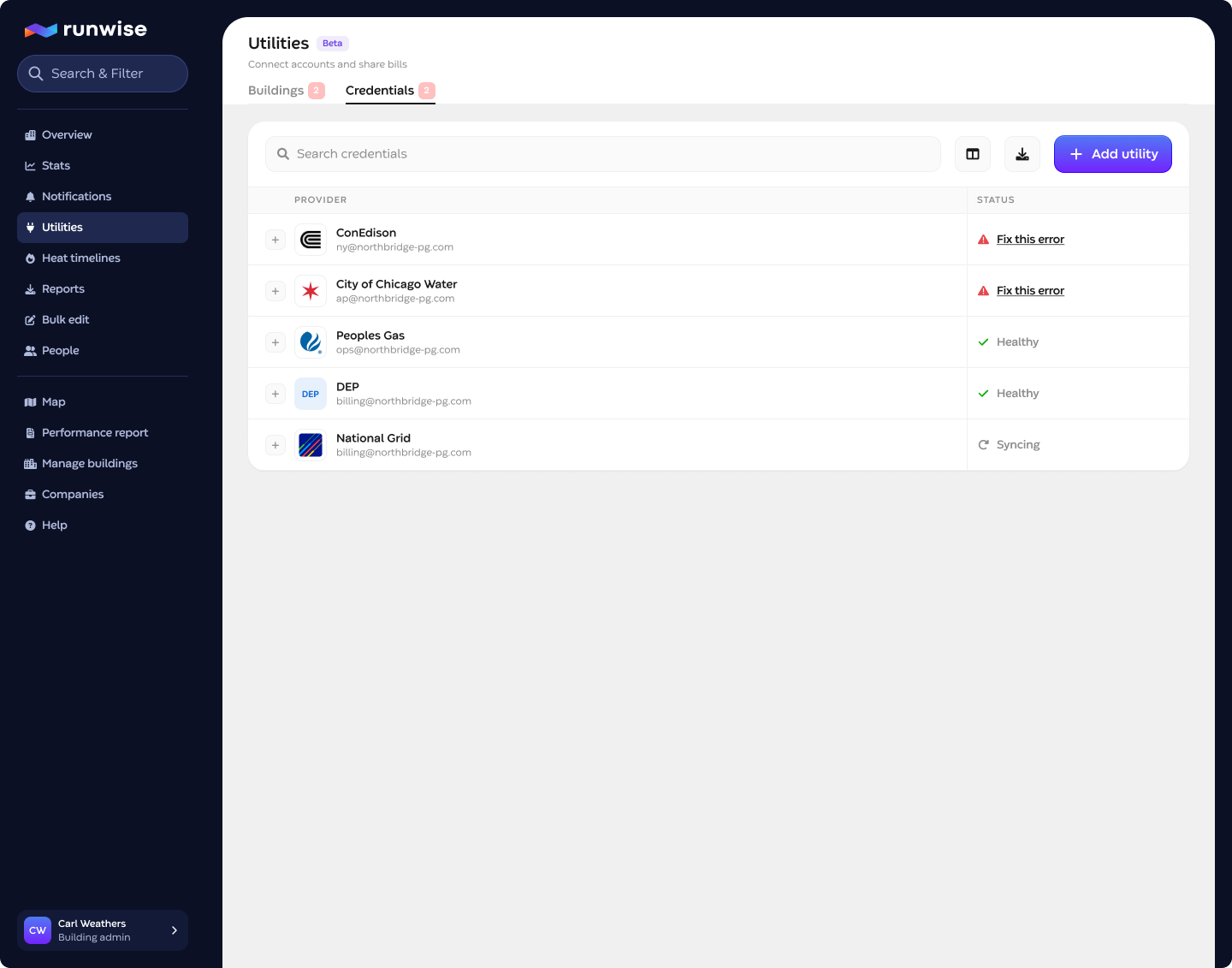
Every operator question about utilities is one of two: is this building connected, and do the logins still work. So the page is 2 tabs, Buildings and Credentials, and every connection reduces to 4 states: Good, Bad, Syncing, Not connected. Anything more granular lives one click down. The same vocabulary carries into the credentials, the wizard, and the emails, so a status means the same thing everywhere it appears.
One wizard for connect, fix, and disconnect
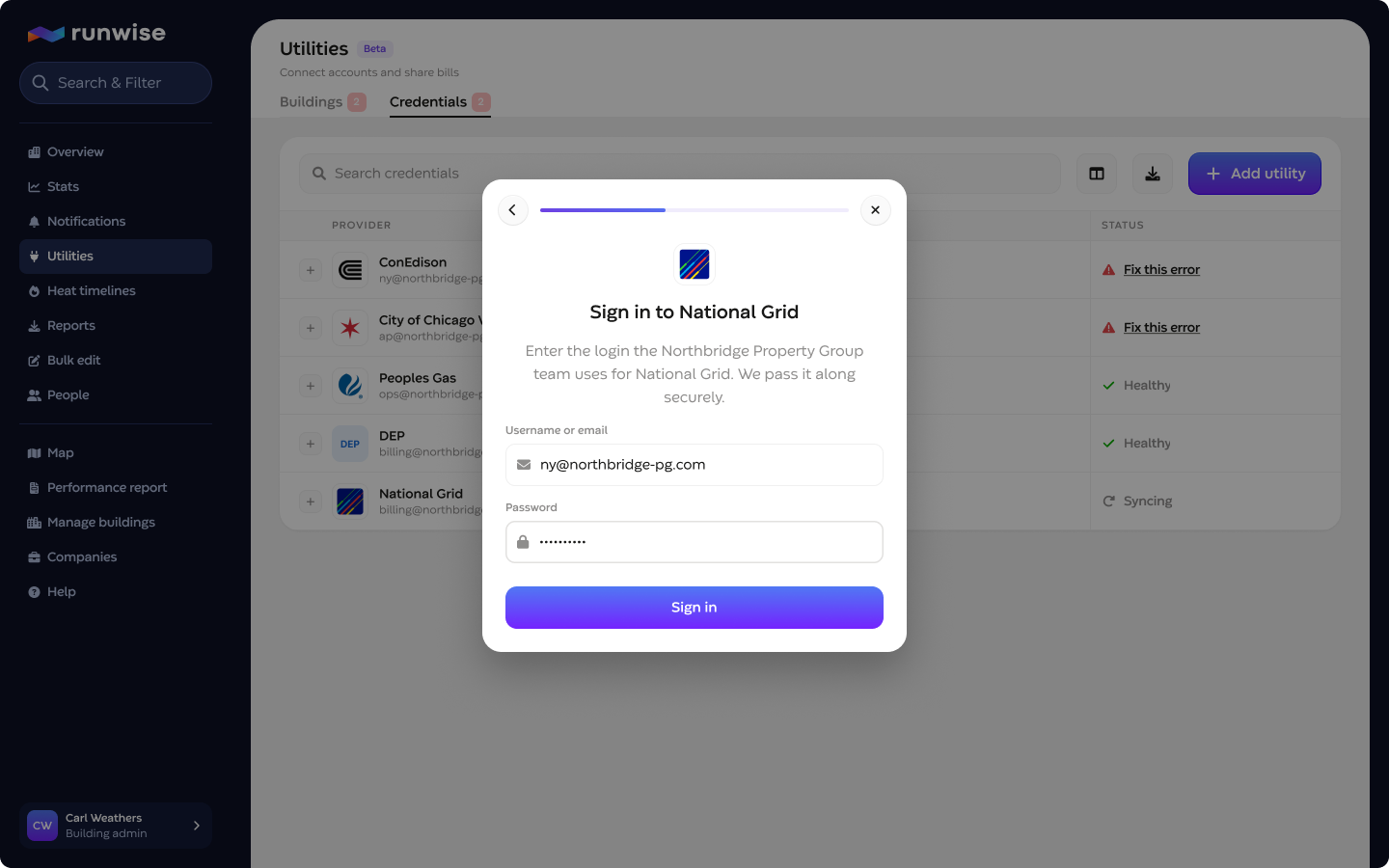
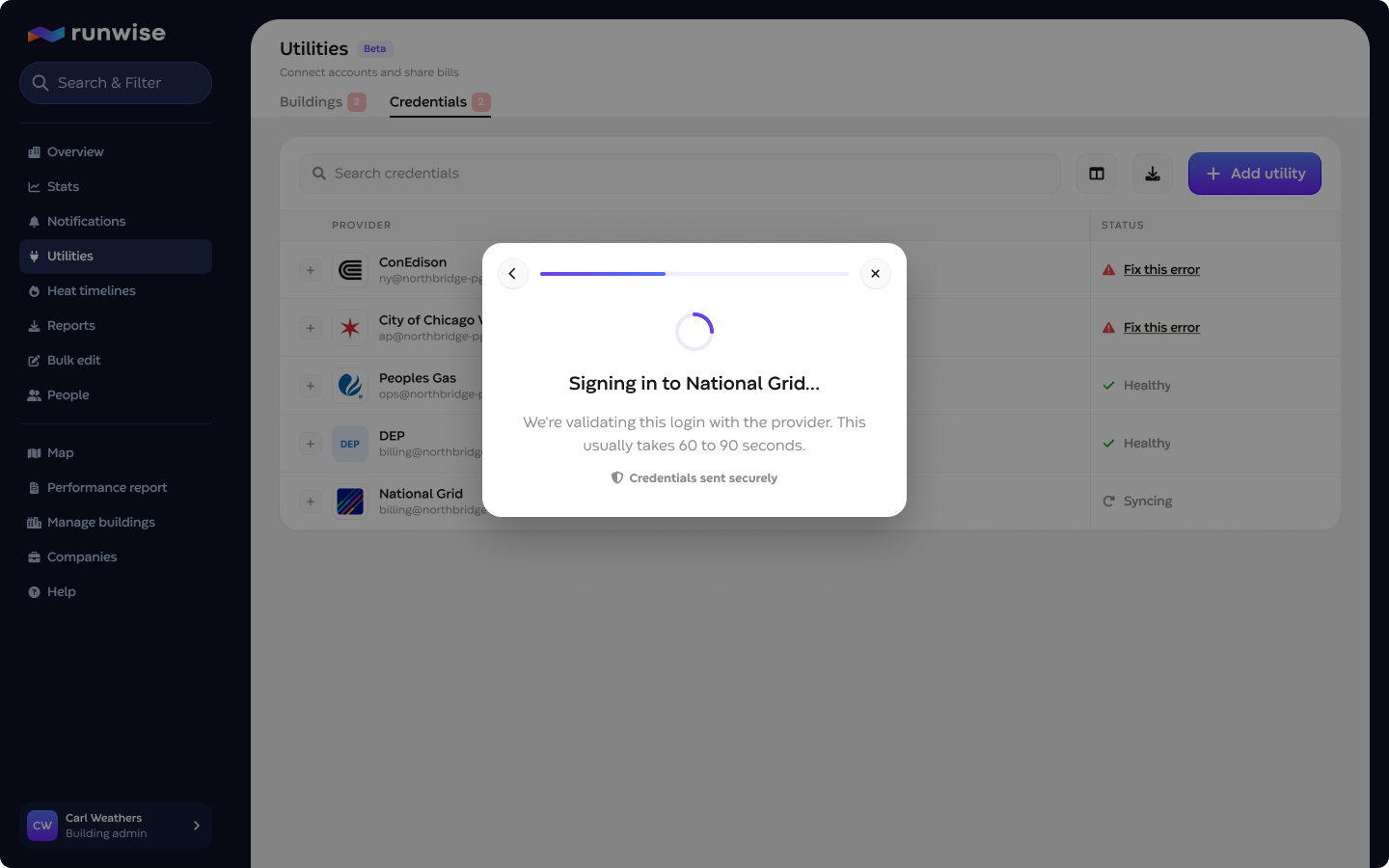
Connecting a utility is a short modal flow: pick the provider, sign in, then wait. Where the provider supports real-time validation, the wizard holds for 60 to 90 seconds and resolves to 1 of 3 outcomes: an inline error on the login step, a confirmation that we will reach out when meters are ready, or a timeout that promises a follow-up either way. Providers without real-time validation skip straight to the follow-up. Edge cases have their own words: no meters found, or every meter on this login already belongs to another building.
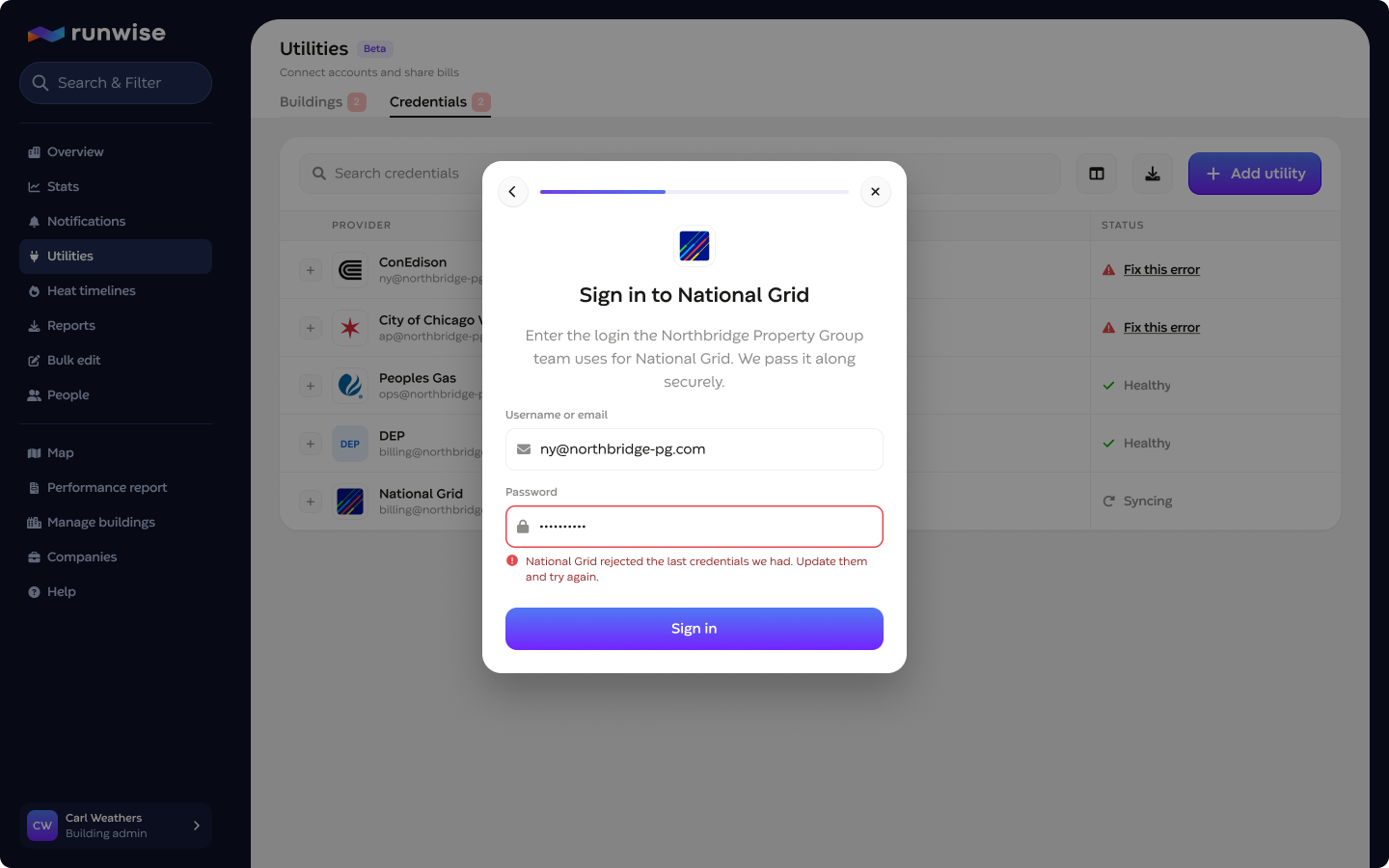
Each building row expands to its connected meters, with account number, service address, and a disconnect that asks for confirmation, and each meter expands to its last 6 bills. When a connection goes bad, the status note sits above the meters, and if the problem is the credential itself, it is flagged on the Credentials tab too. Water reuses the same modal scoped to water meters and the same status notes the DEP connections already had.
Staff first, then every customer
The page and wizard released to Runwise admins as Utilities (Beta) on Sept 3, 2026, and to every customer on Oct 1, gas connections first with water bill data in the next phase. Status and status-note logic that existed only for water now runs for gas through shared infrastructure, and a set of lifecycle emails closes the loop outside the app.