Runwise Leak Detection
Runwise helps property teams manage 10,300+ buildings smarter. As the platform expanded into water monitoring, now live in 4,500+ of those buildings, I led the design of a new Toilet Leak Detection experience, a zero-to-one feature built to help building operators detect and manage toilet leaks at scale across hundreds or thousands of units.
Scale breaks the old playbook
Runwise's existing water monitoring covered riser-level leak detection which is a manageable surface area of 8–12 sensors per building. Toilet monitoring changes the math entirely: a single 36-unit building can require 54+ sensors, and larger properties can exceed 1,600 toilets. The existing UI had no way to handle that volume.
Design for multiple distinct workflows
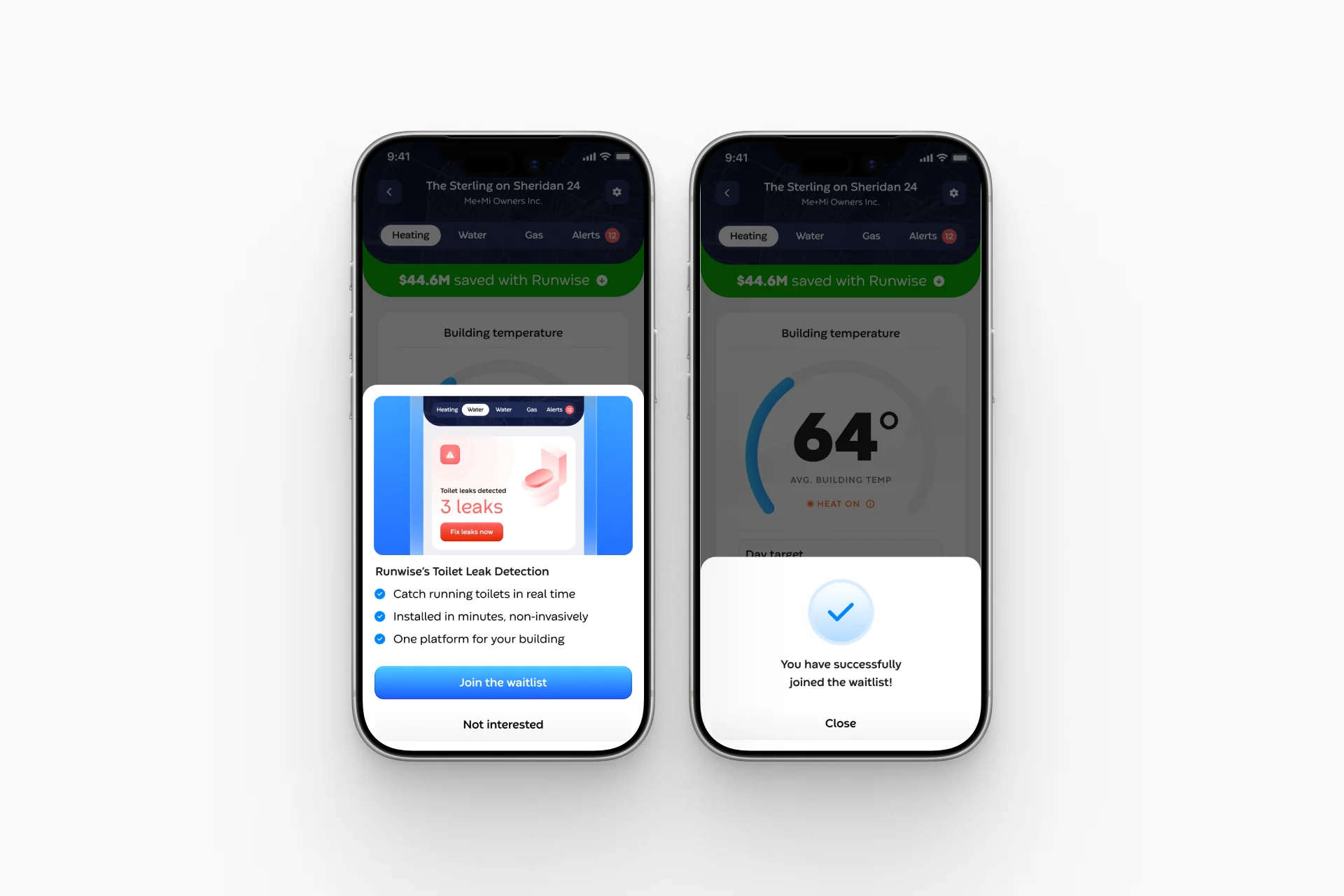
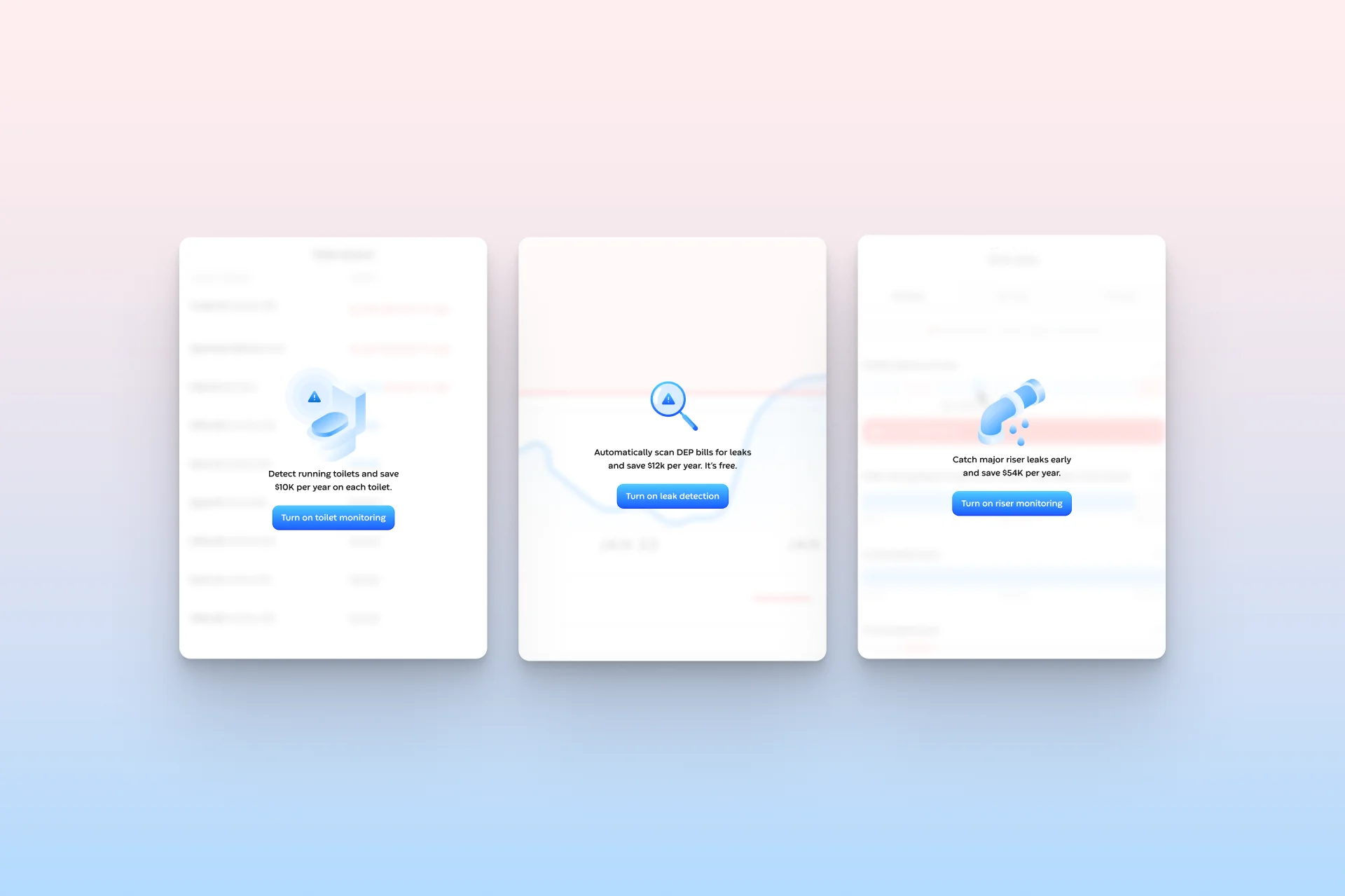
The design strategy centered on progressive disclosure: surface the most critical status information instantly (active leaks, sensor health) through high-visibility callout components, then let users drill into detail as needed. I also had to account for entitlement states, designing “inactive” upsell experiences for buildings not yet subscribed to Toilet Leak Monitoring, so the feature could double as a conversion surface without feeling interruptive.
What the page has to describe
A company owns buildings, a building runs control boxes, a box carries sensors, and a sensor produces incidents. Operators never see a box and should not have to: they think building, unit, toilet. But a service switched on for a building cannot render until a box is linked to carry it, so the layer they never see decides what they get.
That used to fail loudly. A building with monitoring on and no box linked collapsed the tab into one “coming soon” message and hid the usage graph with it, which runs off a different service and was working fine. The fix is component-level states instead of one global switch. It is specced and prioritized low, so it is not shipped.
A unified water tab built for scale and triage
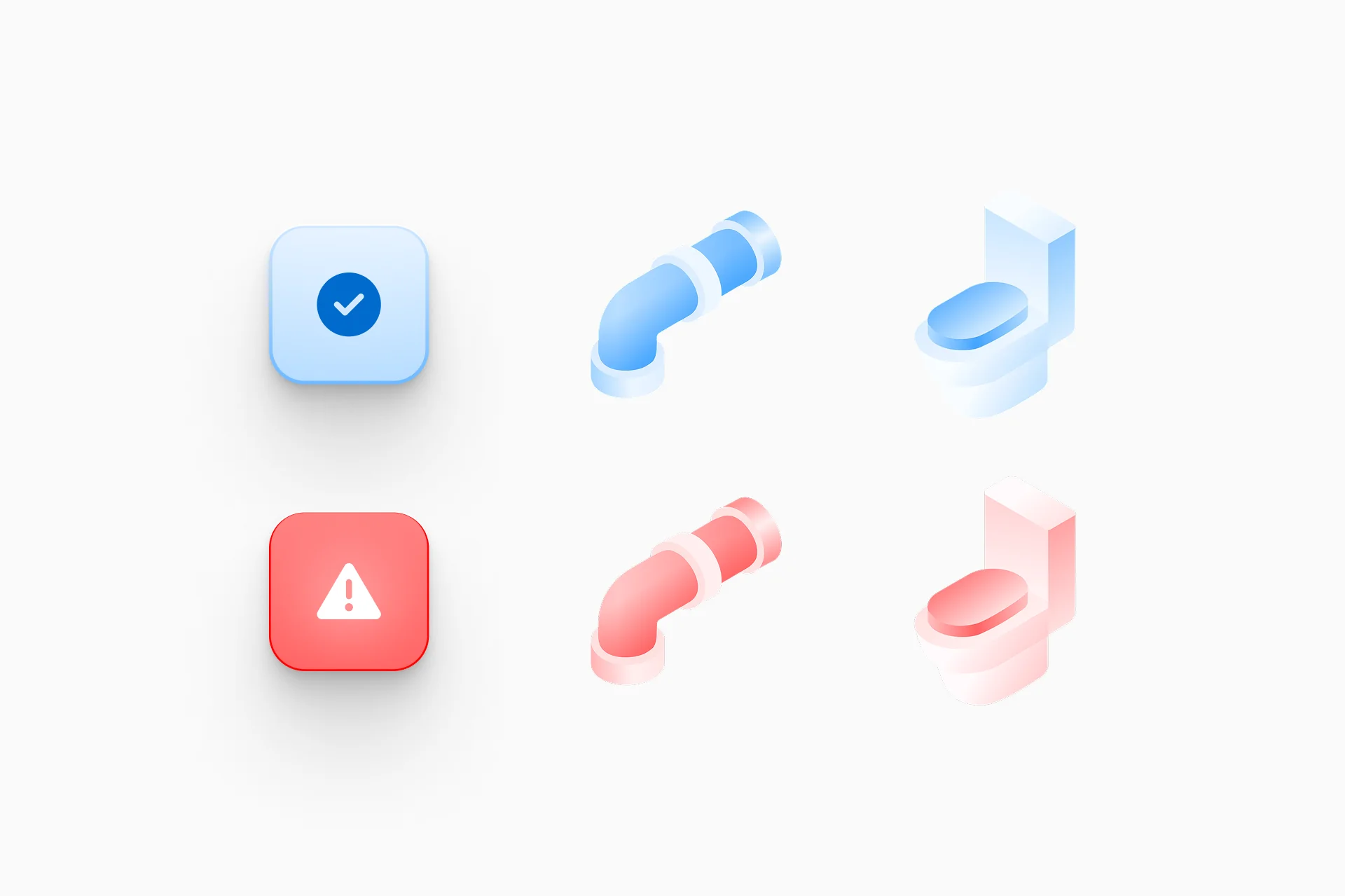
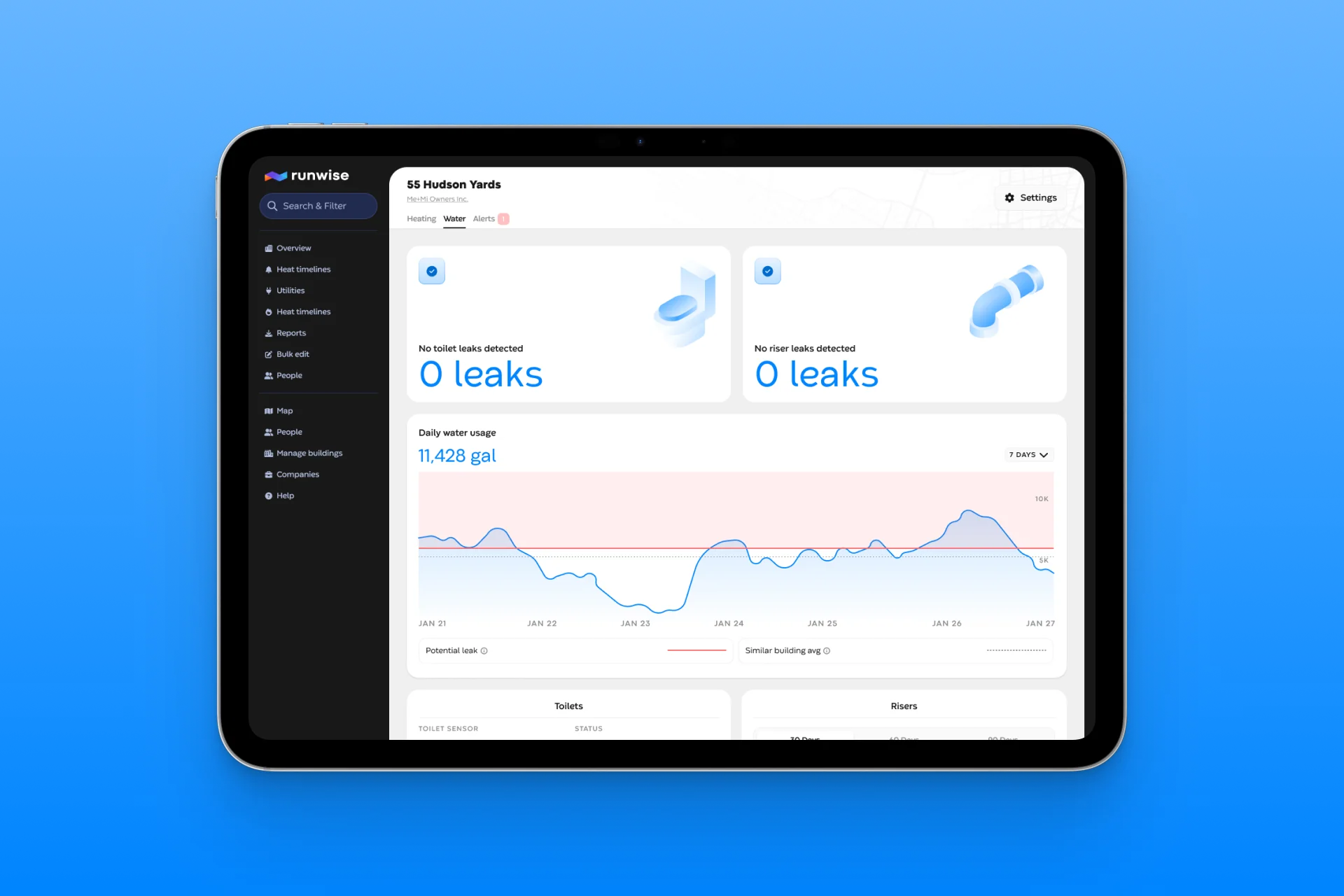
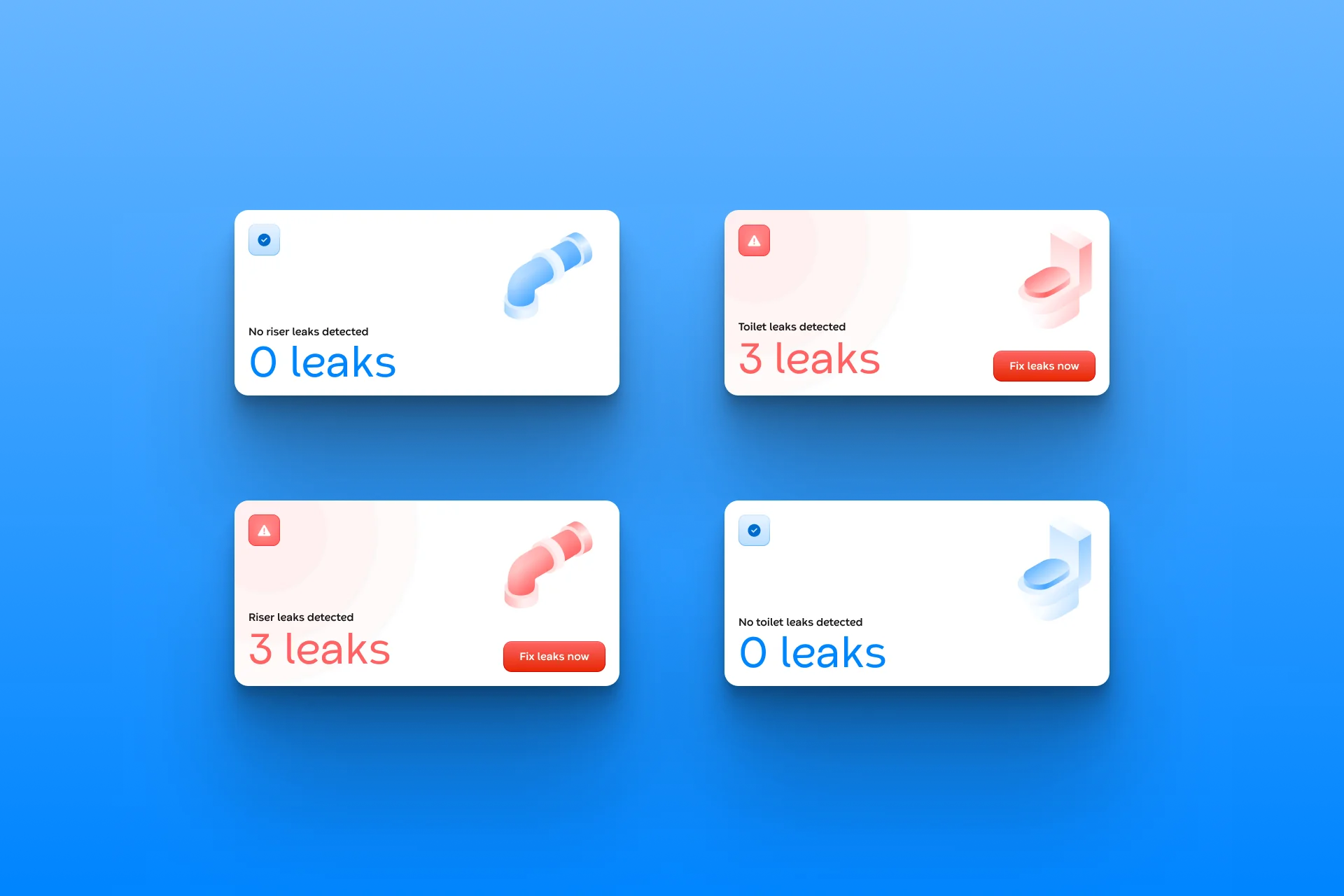
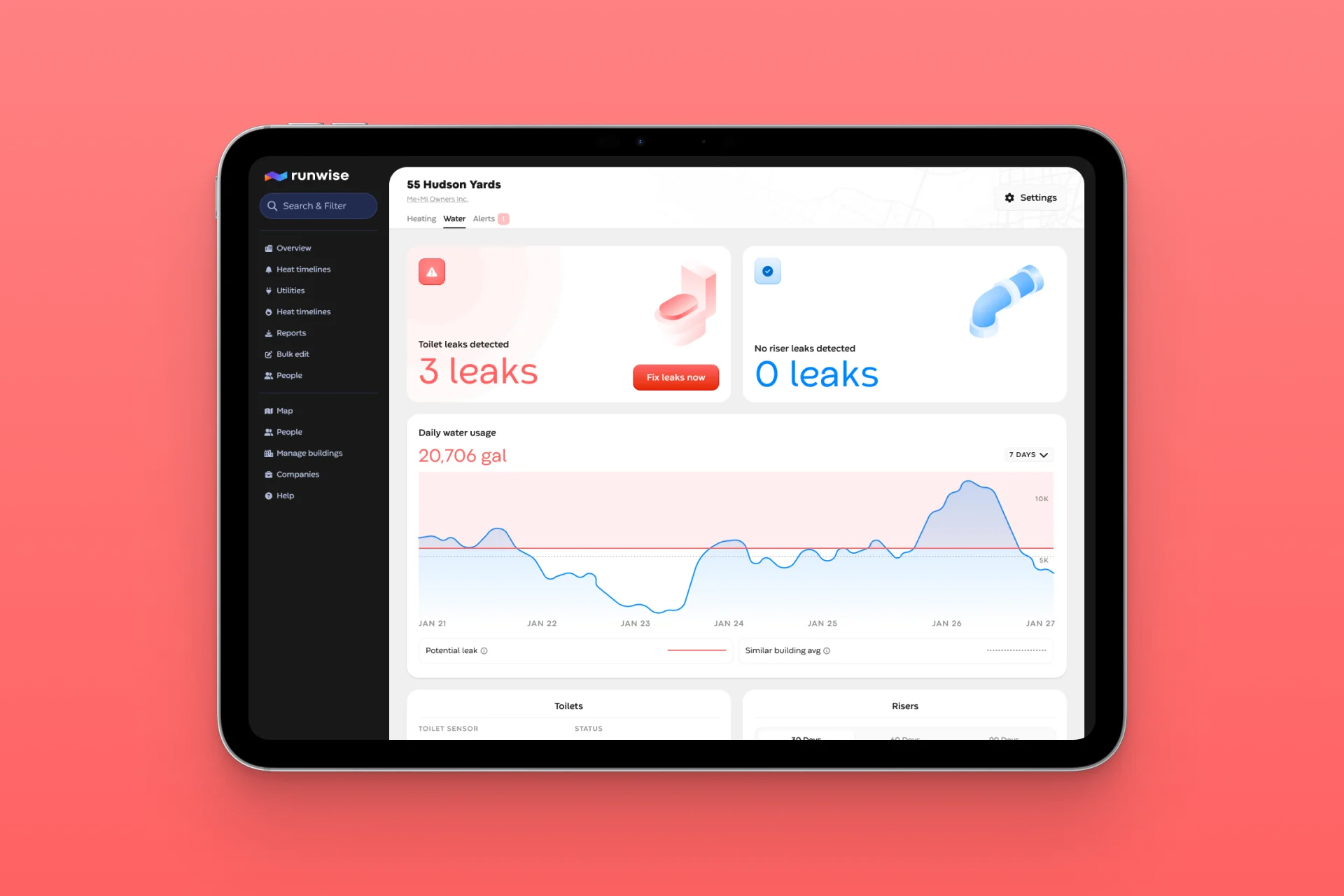
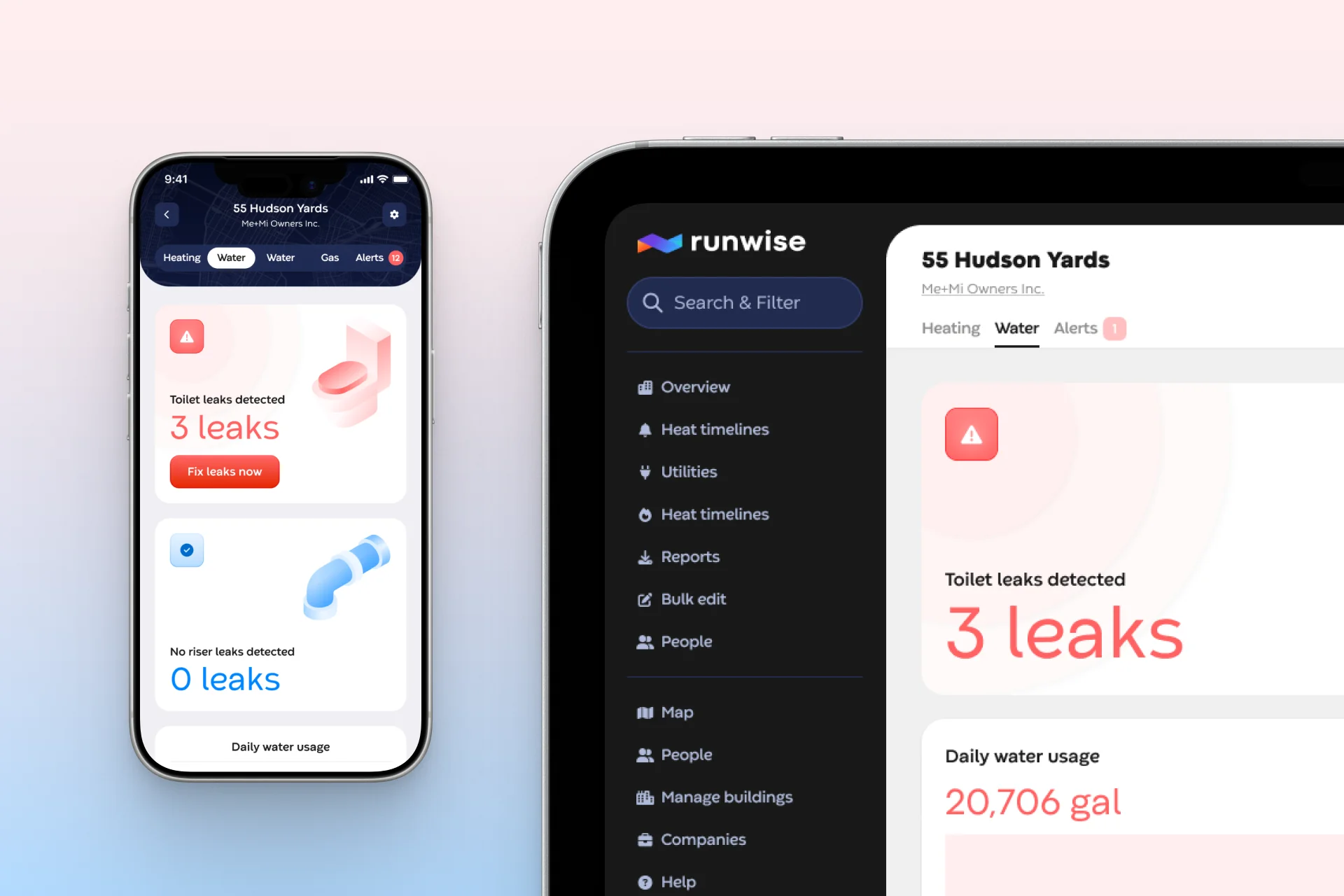
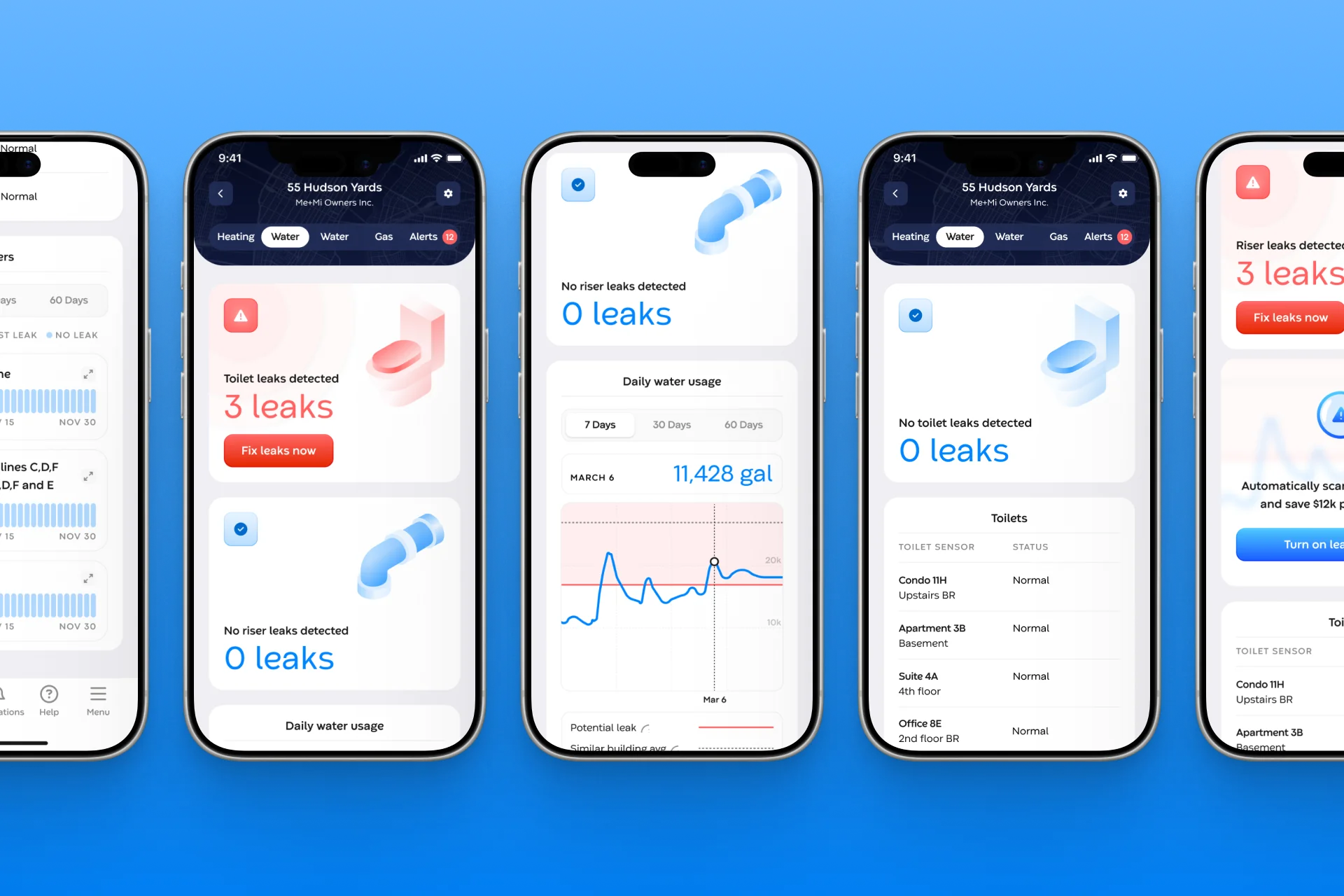
I redesigned the Water tab to consolidate toilet leak detection, riser monitoring, and DEP water usage data into a single, scannable surface. Prominent callout components give operators an at-a-glance count of active toilet and riser leaks in under 5 seconds with clear empty states when there's nothing to act on.
From alert noise to confident decision-making
The redesigned Water tab gives building operators everything they need to determine whether a toilet leak is real (and act on it) in minutes rather than hours. The unified view reduces context switching, the callout system eliminates the need to hunt for active issues, and the sensor status table makes mass deployment management tractable for the first time.
The rollout has proven the design at scale. Toilet leak detection now runs in 119 buildings covering nearly 7,000 units, with 5,900+ sensors reporting and single-building deployments as large as 282 sensors. Those sensors have surfaced nearly 3,000 leak incidents, and 99% of them have been resolved. In buildings with at least 30 days of before-and-after usage data, daily water use has dropped about 10% on average since installation.
The usage chart, redesigned
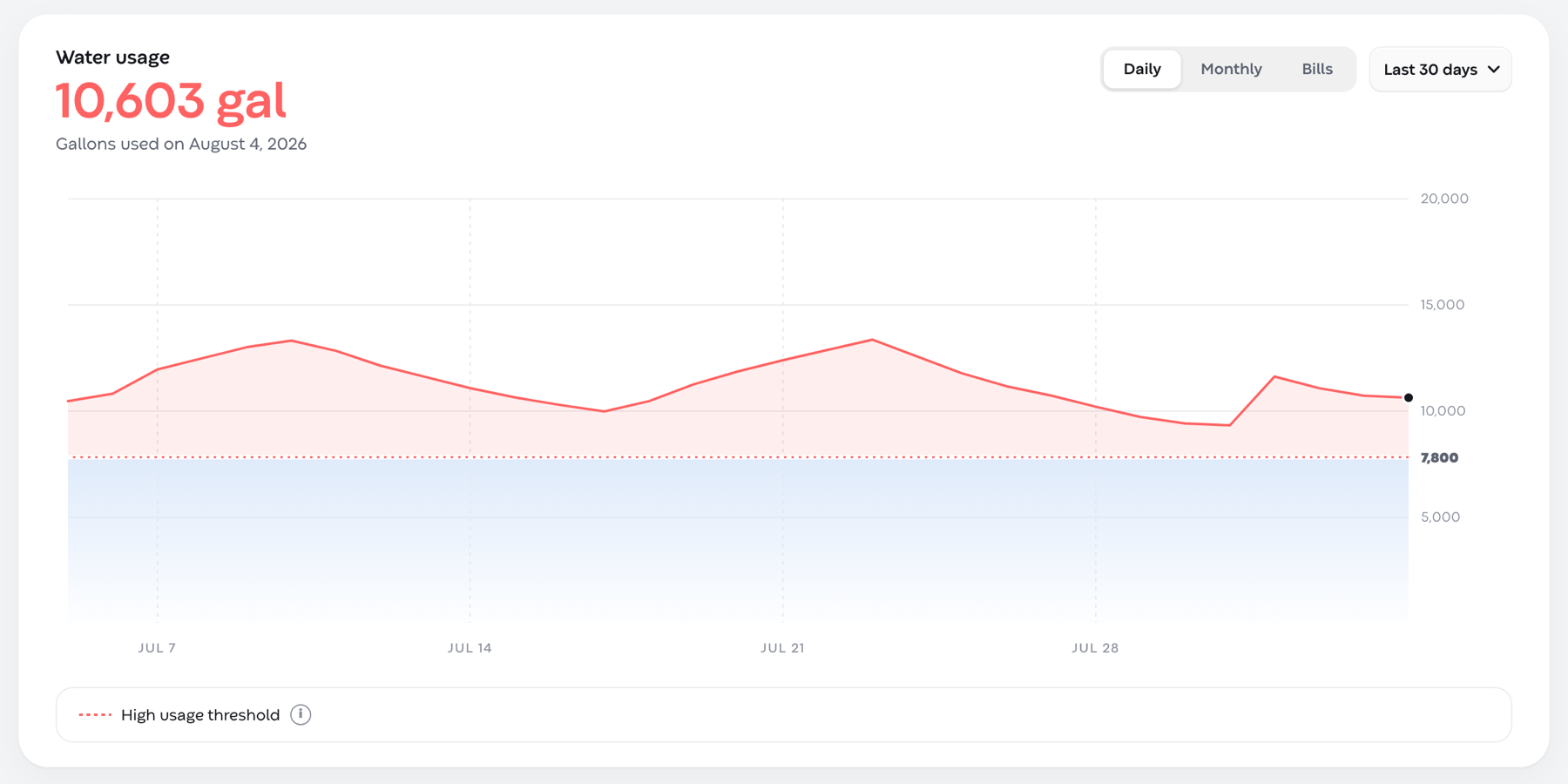
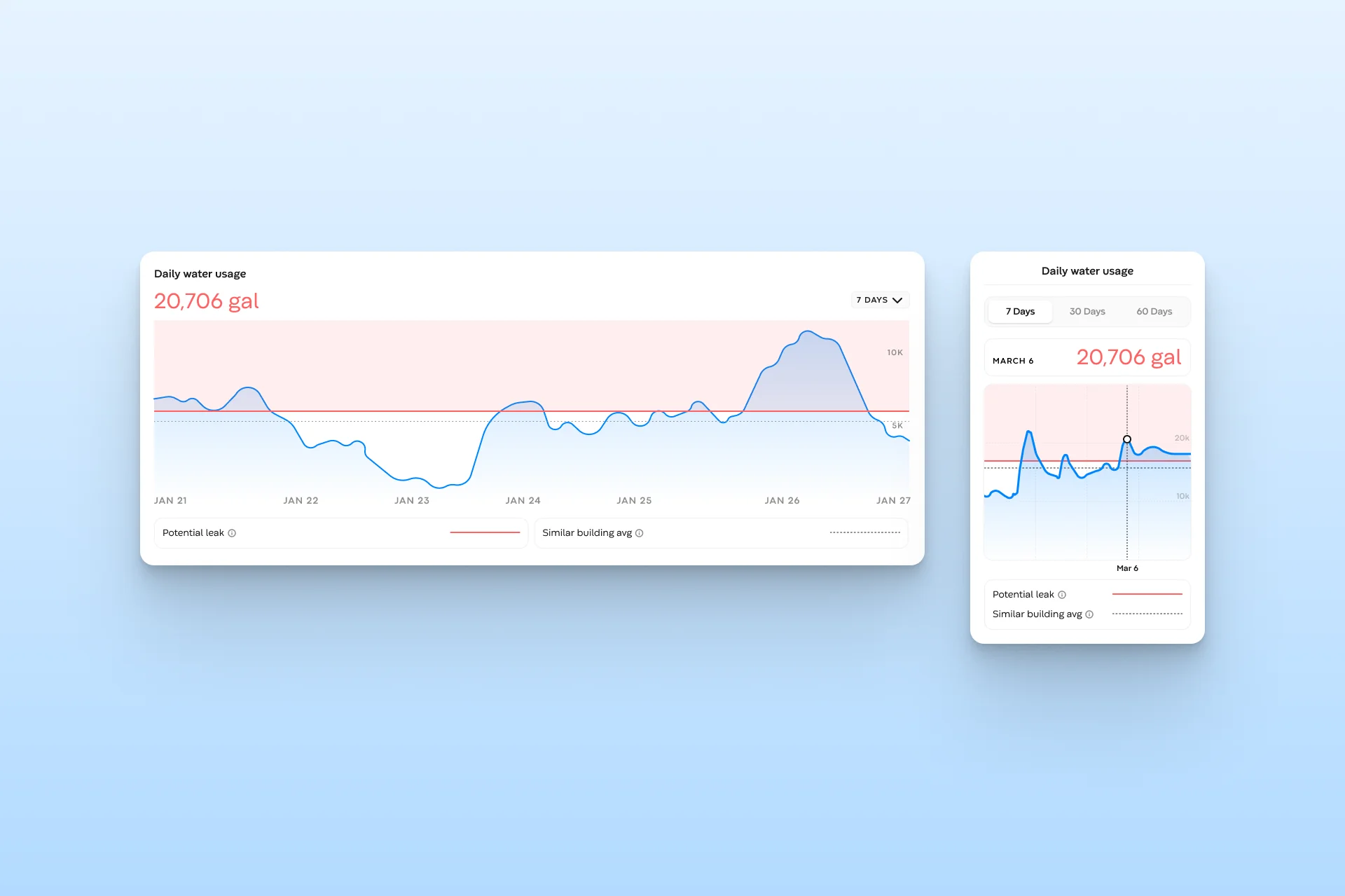
The daily water usage chart on the Water tab was the next thing operators tripped on: one view, one range, and no way to see a bill period. The redesign gives it 2 controls: a segmented switch for Daily, Monthly, and Bills, and a range dropdown whose presets change with the view (last 30 days or last year for daily; last year or 2 years for monthly and bills), plus a custom range. The high-usage threshold stays as a marked line so the shape of a leak still reads at a glance. The water team chose this option and it is in build.